John

Three Pre-Holiday E-Commerce Tips That Work

Santa OwlIs your ecommerce website ready? If you sell online, the holiday season is nearly upon you. Here are three items you should review and act on if necessary. Each of them will help you convert visits to sales.

You know what your customers bought or didn’t buy in the past. Take a good look at how you are currently presenting your products. It is a good bet that focusing on these three tips will make a considerable difference in your holiday sales.

1. Meaningful Product Descriptions — Do not copy and paste product descriptions from your vendor. Create unique descriptions for each item you sell. Do not shortcut this. Write them for your customer. More, but concise, information means more conversions. Explain what your product is or does and why they should buy it. Help your website visitor visualize using your product.

2. Professional-Quality Photos — It is simple. If you have professional quality products to sell, you need professional-quality photos. iPhones and many Android phones have great cameras, but the person taking your photos needs some photography skills. You do not necessarily have to hire a professional photographer, but you do need photos taken by someone who knows about and will incorporate lighting, simplifying the scene, framing the subject properly, aspect ratio, balancing elements, symmetry, viewpoint, using backgrounds, depth, and colors. The necessity for high-quality photos cannot be overstated.

3. Easy-to-find, Complete Contact Information — Your telephone number should be large enough to see and touch (for mobile users) easily. Provide your visitors with options: phone number(s), contact form, email address, mailing address, office hours. Include prominent links to shipping and return information as well as your privacy policy.

Today’s consumers want more and relevant information about what they buy online. The time you spend on these recommendations will serve you well.

    • Meaningful Product Descriptions
    • Professional-Quality Photos
    • Easy-to-find Contact Information

Make it a happy holiday season by improving these three areas of your ecommerce website!

The Importance of Social Media Share Buttons – Even If You Don’t Do Social Media

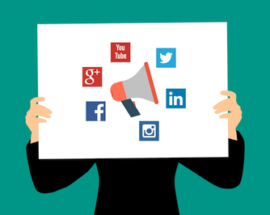
You may have noticed the increasing use of Social Media share buttons on the top or sides (eyes right) of website pages and blogs. Sharing is a big deal in the Social Media world; so big, it is often called the currency of Social Media. You can use Social Media sharing to your advantage even if you “Don’t Do Social Media.”

If Social Media is not part of your marketing strategy, you may think share buttons can’t be on your website. Actually, social sharing buttons can help create a presence on social media platforms as well as providing other benefits for your brand. Remember, email was the original social media, so you should always include a share via email button. Here are four reasons why you should include social media share buttons on your website.

Improve Customer Experience

Part of having an effective website is providing a good experience for your visitors. This includes actions that you may not typically take part in, such as sharing content to social media. If your readers want to share your pages or blog posts, making it quick and easy for them to share on multiple platforms will increase the likelihood that they will do so. A share is tantamount to an endorsement, so make sure your content is worthy.

Increase Brand Exposure

When your website visitor shares your content with their social network, the likelihood that each of that visitor’s followers has visited your website before is very slim, so that content is getting introduced to an entirely new group of people. While not every one of those followers may be interested in the content that user shared, they may use this opportunity to explore your website and find something that appeals to them. That’s why adding share buttons to your website will typically result in new visitors to your website and, hopefully, new customer prospects for your business.

Improve Reach To Your Target Market

You’ve worked hard to get informative and interesting content on your website or blog for your visitors to explore, but that’s only half the battle. Getting this content in front of the right audience is an entirely different story. Utilizing your customers as a way to target and reach out to new prospective customers is a quick and cost effective way to do this. When customers stumble upon something interesting, but feel it is not relevant to share on their social network, they might send it directly to a family member, co-worker, or a few friends. Research shows that direct messaging is the only thing that people do online more than social networking, so providing sharing buttons creates a great opportunity to gain new customers.

Influence SEO Benefits

Search Engine Optimization (SEO) is one of the most crucial elements of your website when it comes to organic (not-paid) traffic. Adding share buttons to your page can increase organic traffic. Google determines search results listings by using many ranking signals, among them are the number of times that content is shared, tweeted, liked, or posted to social media. While Google has long admitted to correlation but not necessarily causation, there is anecdotal evidence that social shares are helpful.

Social Media Share Buttons are important — Even if you Don’t Do Social Media!

First Impressions Matter! What Does Your Website Say About Your Business or Organization?

What kind of first impression does your website make for your business, community, or organization?

First Impressions Matter! Not many of us would argue that. Unfortunately, when it comes to websites, many business owners, as well as community and organization leaders, don’t often think about how they make their first impression. The reality is that the first impression formed by your prospective customer or visitor is not likely to be made when the visitor walks up to your front door. It most likely will be made online, and in rapidly increasing instances, it will be made on a mobile device.

    • Does your website look as professional as you believe your business or organizations is?
    • Does your website look professional on phones and tablets as well as a desktop computer?
    • Is it attractive enough to make the visitor spend some time on it?
    • Can your visitor quickly determine what you offer?
  • Can your visitor quickly find your contact information?
  • Does it convey enough to make prospects want to contact you, or order online?
  • Can they call you with the touch of a button on their mobile device?

People are busier than ever, and their time is precious. The reality is, if your website is more than three or four years old, it likely does not meet Google’s current mobile-friendly standards. If that is the case, you are not making a good first impression when prospects see your website on a mobile device.

First Impressions Matter!

The Cost of Keeping Your WordPress CMS Website Secure

WordPressWordPress Content Management System (CMS) websites come with ongoing update costs that are easily overlooked. If you are like most of our clients, you don’t often think about, or pay much attention to, the backend of your website. WebWise Design & Marketing clients who choose to have a Security, Maintenance and Updates Plan may safely ignore updates needed to the functionality of their website as we take care of those tasks for you. Our security and maintenance plan includes monitoring and applying all WordPress security software updates, and all plugin updates. It also includes repairing any damage an update may cause to the website.

For those who do not have a Security, Maintenance and Updates Plan, please continue reading.

It is important to remember, simply ignoring or not applying WordPress and plugins is not an option. Updates must be applied, either by you or your web developer.

WordPress Plugins

PluginI am sure many of you are thinking, “what the heck is a plugin and why do I need them?” According to the WordPress Codex, “Plugins are ways to extend and add to the functionality that already exists in WordPress. The core of WordPress is designed to be lean and lightweight, to maximize flexibility and minimize code bloat.” Plugins offer custom functions and features so that each website can be tailored to the website owner’s specific needs. Some examples of functions and features often added with plugins include calendars, photo sliders, forms, captcha for forms, anti-spam, navigation menus, security, and additional SEO features. Most interactive and dynamic aspects of a WordPress website are provided through the use of plugins. Some plugins (generally those with fewer features) are free to use. Sometimes, it is essential to use “premium” plugins that are sold as a license subscriptions that includes all code updates for a year. Note: these updates are for the code and subscriptions only; they do not include applying the updates to your website.

Security and Maintenance Updates

If you have read this far, I imagine you have a fairly good idea about what drives the hidden costs of security and maintenance updates, so I will confirm it. WordPress and plugins need to be updated frequently. Not long ago, we could say “periodically,” but unfortunately, “frequently” describes how often security and maintenance updates are required in today’s world. With every new WordPress release (there have been six so far this year), any website built with WordPress needs to have it updated. Of course, it doesn’t end with that simple update. Often, most if not all plugins used in building a website will have to release updates of their own, which will need to be applied to the website as well. Throughout the process of updating, one has to check to make sure the website is not negatively impacted by an update. In other words, the website must be checked and all functions tested to make sure the update didn’t break anything, and that the website is still displaying and working properly. That “checking’ is done for multiple devices, browsers, and operating systems.

I know some of you are asking, “What happens if I don’t do the security updates?” Well, there are many things that can happen as a result of not having the latest version of WordPress and plugins installed on your website. Here is short list of some possible consequences.

  • Unauthorized access to your WordPress administrative area.
  • Unauthorized and hidden remote control of the computer of an authorized user (you) .
  • Your website doesn’t display properly.
  • Your website doesn’t display at all.
  • Your website is hacked and displays offensive and/or harmful content.
  • Your website is hacked and infected with malware that, in turn, infects the computers of your website visitors.
  • Your web hosting company disables your website because of security risks in violation of their Terms of Use Policy.

What Can You Do?

  • Monitor WordPress and Plugin updates status.
  • Make the updates yourself.
  • Review your website to be sure nothing is broken.
  • Fix what is broken if you can, or contact your website developer.
  • Hire your website developer to do those update tasks for you.

Summary

Websites created using WordPress need frequent back-end updates and maintenance that cannot be ignored. Updating WordPress, themes, and plugins takes time and money. Some plugins used require annual license/subscription renewal fees. Ignoring updates puts your website at risk. 

Please see how WebWise helps mitigate the risk of your website getting hacked, and what you can do to make your website more resistant to hackers, by reading our Website Security For Content Management Systems blog post, as well as Secure Passwords Should Not Be Optional.

Of course, we are always happy to discuss how WebWise Design & Marketing can help you with anything in this post.

Call 1-800-281-9993 or 608-822-3750 Today!

Do you really need a mobile-friendly website?

Do you really need a mobile-friendly website? Google’s answer is, “…having a mobile-friendly website has become a critical part of having an online presence.“

It has been over a year since Google’s April 21, 2015 announcement that they would give preference to mobile-friendly websites in mobile search results. In the FAQ’s of the Webmaster Tools Blog, Google says, “pages designed for only large screens may see a significant decrease in rankings in mobile search results.”

Mobile-friendly websitesEleven months later on March 16, 2016, Google announced that they are, Continuing to make the web more mobile friendly. They are even more serious about it now. To help you understand how Google defines “mobile” and related terms here is a link to their Mobile Terms Glossary.

Another indication of how seriously Google is emphasizing the importance of having a mobile-friendly website is the rolling out of a new mobile-friendly testing tool on May 17, 2016. If you don’t know if your website is mobile-friendly, run the Google Mobile-Friendly Testing Tool.

Google also says, “If you haven’t made your website mobile-friendly, you should.” (The bold font was done by Google.) We urge you to take their words seriously. Do you really need a mobile-friendly website? If you want your website found by prospects and customers when searching with their phone or another mobile device, the answer is yes.

If your website does not pass Google’s Mobile Friendly Test, Call Us Now!
608-822-3750 or 800-281-9993

Portions of this page are reproduced from work created and shared by Google and used according to terms described in the Creative Commons 3.0 Attribution License.