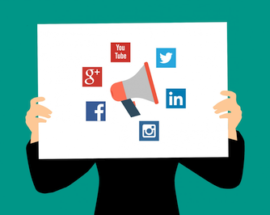
 You may have noticed the increasing use of Social Media share buttons on the top or sides (eyes right) of website pages and blogs. Sharing is a big deal in the Social Media world; so big, it is often called the currency of Social Media. You can use Social Media sharing to your advantage even if you “Don’t Do Social Media.”
If Social Media is not part of your marketing strategy, you may think share buttons can’t be on your website. Actually, social sharing buttons can help create a presence on social media platforms as well as providing other benefits for your brand. Remember, email was the original social media, so you should always include a share via email button. Here are four reasons why you should include social media share buttons on your website.
Improve Customer Experience
Part of having an effective website is providing a good experience for your visitors. This includes actions that you may not typically take part in, such as sharing content to social media. If your readers want to share your pages or blog posts, making it quick and easy for them to share on multiple platforms will increase the likelihood that they will do so. A share is tantamount to an endorsement, so make sure your content is worthy.
Increase Brand Exposure
When your website visitor shares your content with their social network, the likelihood that each of that visitor’s followers has visited your website before is very slim, so that content is getting introduced to an entirely new group of people. While not every one of those followers may be interested in the content that user shared, they may use this opportunity to explore your website and find something that appeals to them. That’s why adding share buttons to your website will typically result in new visitors to your website and, hopefully, new customer prospects for your business.
Improve Reach To Your Target Market
You’ve worked hard to get informative and interesting content on your website or blog for your visitors to explore, but that’s only half the battle. Getting this content in front of the right audience is an entirely different story. Utilizing your customers as a way to target and reach out to new prospective customers is a quick and cost effective way to do this. When customers stumble upon something interesting, but feel it is not relevant to share on their social network, they might send it directly to a family member, co-worker, or a few friends. Research shows that direct messaging is the only thing that people do online more than social networking, so providing sharing buttons creates a great opportunity to gain new customers.
Influence SEO Benefits
Search Engine Optimization (SEO) is one of the most crucial elements of your website when it comes to organic (not-paid) traffic. Adding share buttons to your page can increase organic traffic. Google determines search results listings by using many ranking signals, among them are the number of times that content is shared, tweeted, liked, or posted to social media. While Google has long admitted to correlation but not necessarily causation, there is anecdotal evidence that social shares are helpful.
Social Media Share Buttons are important — Even if you Don’t Do Social Media!

 SSL (Secure Sockets Layer) is a standard security protocol for establishing encrypted links between a web server and a browser in an online transfer of data. A SSL Certificate is necessary to create SSL connection. Having a SSL Certificate installed on a web server ensures that all data transmitted between the web server and browser remains encrypted.

