Blog

Three Pre-Holiday E-Commerce Tips That Work

Santa OwlIs your ecommerce website ready? If you sell online, the holiday season is nearly upon you. Here are three items you should review and act on if necessary. Each of them will help you convert visits to sales.

You know what your customers bought or didn’t buy in the past. Take a good look at how you are currently presenting your products. It is a good bet that focusing on these three tips will make a considerable difference in your holiday sales.

1. Meaningful Product DescriptionsDo not copy and paste product descriptions from your vendor. Create unique descriptions for each item you sell. Do not shortcut this. Write them for your customer. More, but concise, information means more conversions. Explain what your product is or does and why they should buy it. Help your website visitor visualize using your product.

2. Professional-Quality Photos — It is simple. If you have professional quality products to sell, you need professional-quality photos. iPhones and many Android phones have great cameras, but the person taking your photos needs some photography skills. You do not necessarily have to hire a professional photographer, but you do need photos taken by someone who knows about and will incorporate lighting, simplifying the scene, framing the subject properly, aspect ratio, balancing elements, symmetry, viewpoint, using backgrounds, depth, and colors. The necessity for high-quality photos cannot be overstated.

3. Easy-to-find, Complete Contact Information — Your telephone number should be large enough to see and touch (for mobile users) easily. Provide your visitors with options: phone number(s), contact form, email address, mailing address, office hours. Include prominent links to shipping and return information as well as your privacy policy.

Today’s consumers want more and relevant information about what they buy online. The time you spend on these recommendations will serve you well.

    • Meaningful Product Descriptions
    • Professional-Quality Photos
    • Easy-to-find Contact Information

Make it a happy holiday season by improving these three areas of your ecommerce website!

Your Website Should Be Secure

For all practical purposes, Google is forcing the use of SSL and HTTPS on all websites! Prior to this, there was no need for you to purchase a SSL Certificate for your website and incur the expense of migrating your website from HTTP to the HTTPS protocol.

What is SSL

Chrome Secure treatmentSSL (Secure Sockets Layer) is a standard security protocol for establishing encrypted links between a web server and a browser in an online transfer of data. A SSL Certificate is necessary to create SSL connection. Having a SSL Certificate installed on a web server ensures that all data transmitted between the web server and browser remains encrypted.
Google says, “Beginning in July 2018 with the release of Chrome 68, Chrome will mark all HTTP sites as not secure.”

What Needs To Be Done

You must enable SSL for your website which is done through your hosting provider. The SSL Certificates (annual renewal) and implementation choices and costs vary depending on the hosting company and the plan you have. After the SSL Certificate is enabled, all links on your website needs to be migrated from HTTP to HTTPS protocol.

Please see our page, Google Says Your Website Needs to Be Secure for more details, or contact our office, 608-822-3750 or 800-281-9993 or email support@webwisedesign.com.

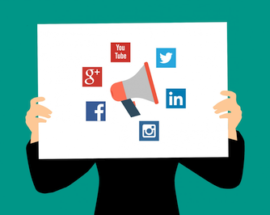
The Importance of Social Media Share Buttons – Even If You Don’t Do Social Media

You may have noticed the increasing use of Social Media share buttons on the top or sides (eyes right) of website pages and blogs. Sharing is a big deal in the Social Media world; so big, it is often called the currency of Social Media. You can use Social Media sharing to your advantage even if you “Don’t Do Social Media.

If Social Media is not part of your marketing strategy, you may think share buttons can’t be on your website. Actually, social sharing buttons can help create a presence on social media platforms as well as providing other benefits for your brand. Remember, email was the original social media, so you should always include a share via email button. Here are four reasons why you should include social media share buttons on your website.

Improve Customer Experience

Part of having an effective website is providing a good experience for your visitors. This includes actions that you may not typically take part in, such as sharing content to social media. If your readers want to share your pages or blog posts, making it quick and easy for them to share on multiple platforms will increase the likelihood that they will do so. A share is tantamount to an endorsement, so make sure your content is worthy.

Increase Brand Exposure

When your website visitor shares your content with their social network, the likelihood that each of that visitor’s followers has visited your website before is very slim, so that content is getting introduced to an entirely new group of people. While not every one of those followers may be interested in the content that user shared, they may use this opportunity to explore your website and find something that appeals to them. That’s why adding share buttons to your website will typically result in new visitors to your website and, hopefully, new customer prospects for your business.

Improve Reach To Your Target Market

You’ve worked hard to get informative and interesting content on your website or blog for your visitors to explore, but that’s only half the battle. Getting this content in front of the right audience is an entirely different story. Utilizing your customers as a way to target and reach out to new prospective customers is a quick and cost effective way to do this. When customers stumble upon something interesting, but feel it is not relevant to share on their social network, they might send it directly to a family member, co-worker, or a few friends. Research shows that direct messaging is the only thing that people do online more than social networking, so providing sharing buttons creates a great opportunity to gain new customers.

Influence SEO Benefits

Search Engine Optimization (SEO) is one of the most crucial elements of your website when it comes to organic (not-paid) traffic. Adding share buttons to your page can increase organic traffic. Google determines search results listings by using many ranking signals, among them are the number of times that content is shared, tweeted, liked, or posted to social media. While Google has long admitted to correlation but not necessarily causation, there is anecdotal evidence that social shares are helpful.

Social Media Share Buttons are importantEven if you Don’t Do Social Media!

First Impressions Matter! What Does Your Website Say About Your Business or Organization?

What kind of first impression does your website make for your business, community, or organization?

First Impressions Matter! Not many of us would argue that. Unfortunately, when it comes to websites, many business owners, as well as community and organization leaders, don’t often think about how they make their first impression. The reality is that the first impression formed by your prospective customer or visitor is not likely to be made when the visitor walks up to your front door. It most likely will be made online, and in rapidly increasing instances, it will be made on a mobile device.

    • Does your website look as professional as you believe your business or organizations is?
    • Does your website look professional on phones and tablets as well as a desktop computer?
    • Is it attractive enough to make the visitor spend some time on it?
    • Can your visitor quickly determine what you offer?
  • Can your visitor quickly find your contact information?
  • Does it convey enough to make prospects want to contact you, or order online?
  • Can they call you with the touch of a button on their mobile device?

People are busier than ever, and their time is precious. The reality is, if your website is more than three or four years old, it likely does not meet Google’s current mobile-friendly standards. If that is the case, you are not making a good first impression when prospects see your website on a mobile device.

First Impressions Matter!

Have a Local Business? Claim or Update Your Google My Business Listing, Now!

Cooks Woods Google My Business ListingIf you have a business, you very likely have a Google My Business Listing. Your listing appears when people are searching for your business or businesses like yours on Google Search and Maps.

Claiming or improving your Google My Business Listing is the singular, most important step you can take for your local business if you want to maximize results from Google Search.

“Why,” you ask? Google says, “Manage how your business information appears across Google, including Search and Maps, using Google My Business — for free.”

The keyword in the previous paragraph is “manage.” There is little a business can control when it comes to Google. When Google makes it easy to post correct information about your business for free, and that information is displayed in Google Search results and on Google Maps, you should take advantage of it.

With Google My Business, you can:

  • Increase your online visibility
  • Show business hours and if open/closed
  • Your contact details are prominently displayed
  • Display photos of your business
  • Publish Posts just like Facebook or Twitter posts
  • Encourage reviews and interact with reviewers
  • Answer customer questions — List FAQs, or answer live
  • Let customers message you

You also can see insights on how customers searched for your business, and their locations at the time of search. You can also see how many people called your business directly from the phone number displayed on local search results in Google Search and Google Maps.

Bottom line: Claim and/or update your Google My Business listing! It is unequivocally the best and least expensive online marketing you can do.